
User acquisition is one of the biggest challenges for modern mobile applications. With thousands of apps launching every day, businesses must adopt smarter growth strategies to attract and retain users. One of the most powerful and cost-effective growth techniques used by successful apps is the referral program.
Referral programs allow existing users to invite friends to join an application and earn rewards when those friends install and start using the app. Because recommendations come from trusted people, referral marketing often results in higher-quality users compared to traditional advertising.
However, implementing a reliable referral system for Android applications is not as simple as generating referral codes. Developers must understand how the Play Store handles installation data, how referral information is passed during app installation, and how to manage limitations imposed by the platform.
While designing a referral system for an Android application at Amigoways, our Flutter development team encountered several real-world limitations and implemented a solution that works reliably in production environments.
This article explains how to design a robust referral system for Android apps, how the Play Store Install Referrer works, and how to build a scalable architecture that supports both new and existing users.
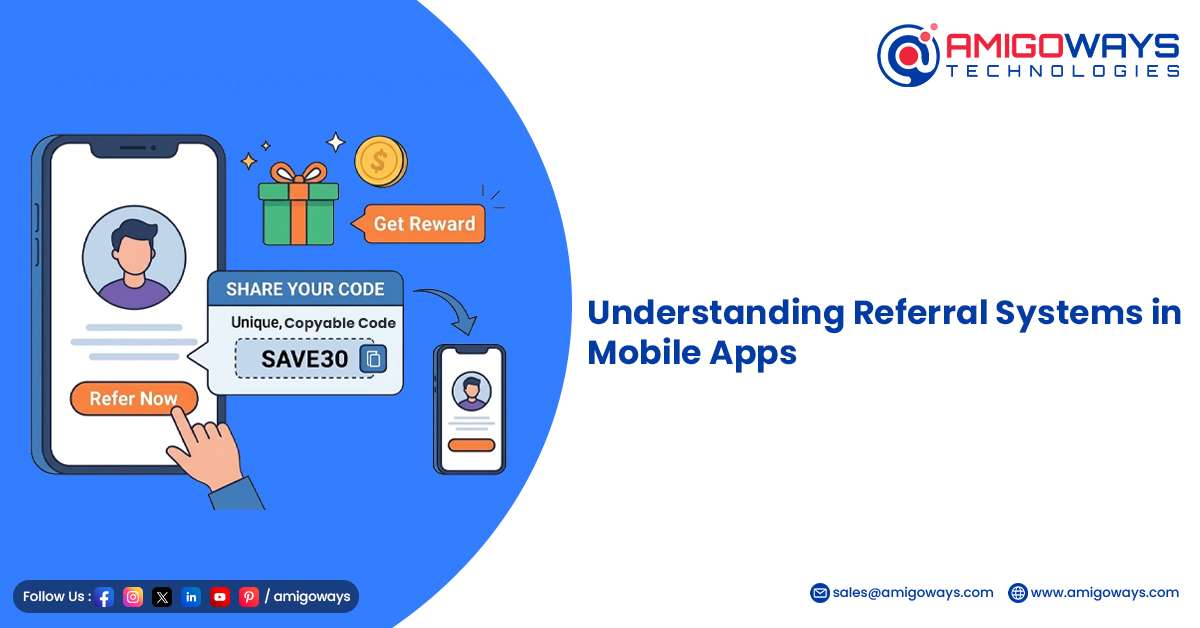
Understanding Referral Systems in Mobile Apps
A referral system allows users to invite friends to install an application using a unique referral code or referral link. When the invited user signs up or completes certain actions, both the inviter and the new user receive rewards.
Typical referral rewards may include:
- Wallet credits
- Cashback rewards
- Reward points
- Discount coupons
- Premium feature access
These incentives motivate users to promote the app voluntarily, creating organic growth without heavy marketing expenses.
Many popular applications such as fintech apps, ride-sharing platforms, eCommerce platforms, and digital wallet apps use referral programs as a core user acquisition strategy.
Using the Play Store Install Referrer
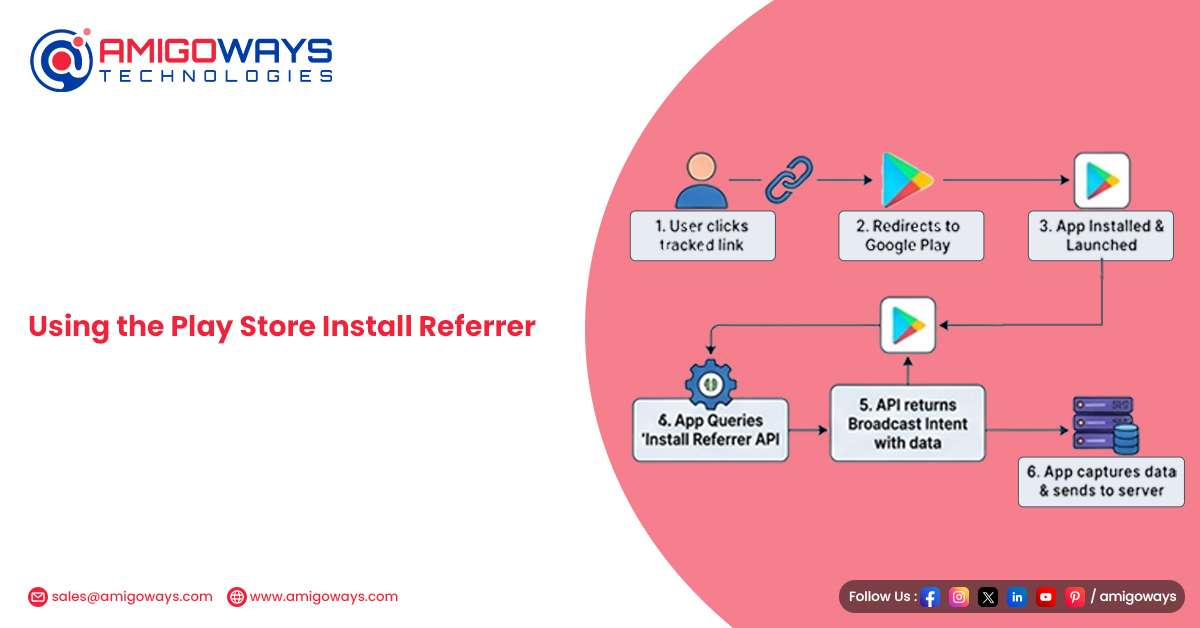
Android provides a feature called the Play Install Referrer API, which allows an app to retrieve information about how it was installed from the Play Store. This API plays an important role when implementing referral tracking.
When a user shares the app with friends, the referral code can be embedded inside the Play Store link using a referrer parameter.
Example referral link: https://play.google.com/store/apps/details?id=com.amigowaysweb&referrer=utm_campaign%3DREF123
In this example, the referral code is passed inside the utm_campaign parameter. When a new user clicks this link and installs the app from the Play Store, the application can retrieve the referrer data when it launches for the first time.
The app then performs the following actions:
- Reads the referrer information from the Install Referrer API
- Extracts the referral code from the parameter
- Stores the referral code locally
- Sends the referral code to the backend server for processing
This process allows the referral code to be applied automatically without requiring the user to manually enter the code. From a user experience perspective, this creates a seamless onboarding flow because the referral reward is applied instantly.
Understanding the Limitation of Install Referrer
While the Play Install Referrer API is very useful, it also has an important limitation that developers must understand. The referrer information is available only during the first installation of the app.
This means the referral data can only be retrieved when:
- The user installs the app for the first time
- The app is launched immediately after installation
However, the referrer data will not be available in the following situations:
- The user already had the app installed
- The user uninstalls and quickly reinstalls the app
- The app was installed through another source
Because of this limitation, relying solely on the Install Referrer API is not sufficient for a production-ready referral system. It also makes testing the referral system slightly more complex since developers must simulate fresh installs to validate the functionality. To solve this challenge, a more flexible approach is required.
Designing a Two-Path Referral System
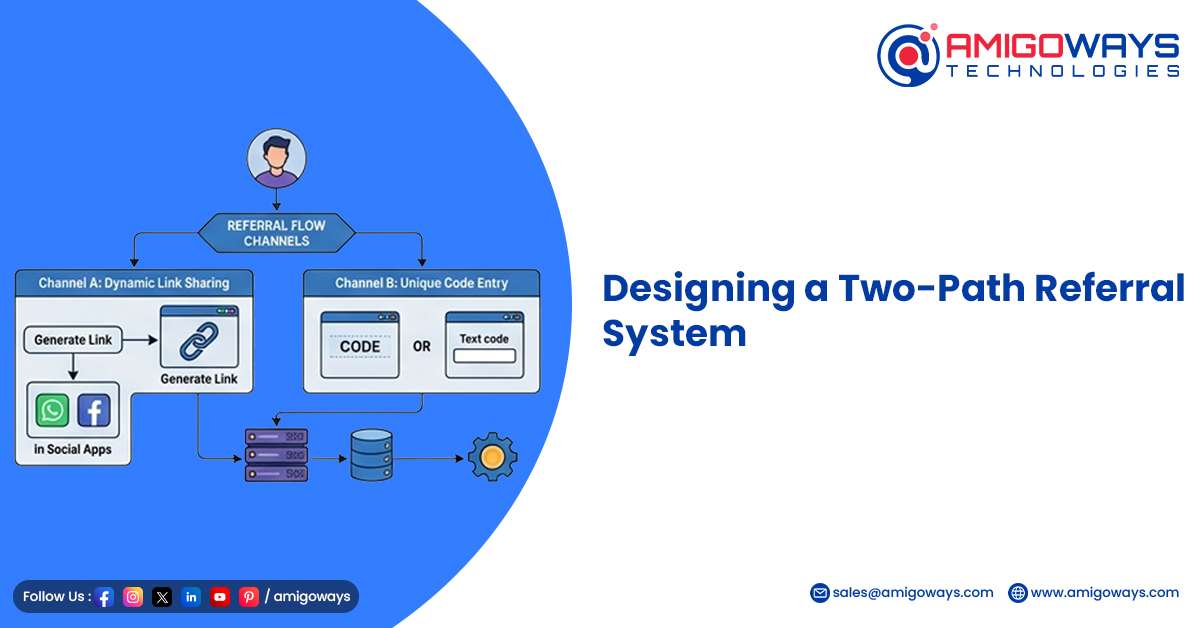
To overcome the limitations of the Play Install Referrer API, our Flutter developers designed a two-path referral system. This approach ensures that referral tracking works for both new users and existing users. The system includes two different referral flows.
Path 1: Automatic Referral Detection for Fresh Installs
In the first scenario, a new user installs the app using a referral link shared by a friend.
The process works as follows:
- The existing user shares a referral link.
- The new user clicks the link and installs the app from the Play Store.
- The Install Referrer API captures the referral information.
- The app extracts the referral code during its first launch.
- The referral code is sent to the backend for validation.
Once verified, the backend credits rewards to both users. This path ensures that the referral process remains automatic and frictionless for new users.
Path 2: Manual Referral Code Entry
The second path handles cases where the user already has the app installed. In this situation, the Install Referrer API will not provide referral data. To support this scenario, the app includes a manual referral code entry option.
Users can enter the referral code inside the application, typically within:
- Profile page
- Referral program section
- Rewards dashboard
The referral code is then sent to the backend server for verification. This ensures that users who already installed the app can still participate in the referral program without being blocked by Play Store limitations. This dual-path design greatly improves the flexibility and usability of the referral system.
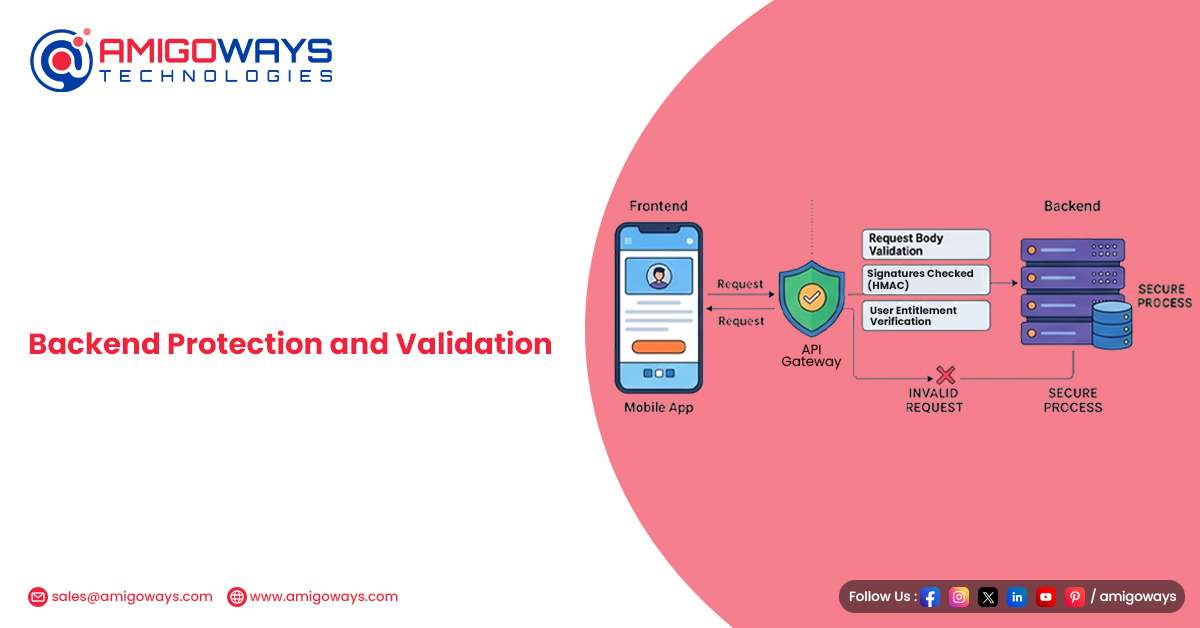
Backend Protection and Validation
A reliable referral system must include strong backend validation to prevent misuse and fraud. Without proper verification, users may attempt to exploit referral rewards through fake accounts or duplicate referrals. A secure backend should implement several validation checks.
One-Time Referral Application
Each user should be allowed to apply a referral code only once. This prevents users from applying multiple codes to receive extra rewards.
Prevent Self Referrals
The backend must ensure that users cannot refer themselves using multiple accounts.
Verify Referral Code Validity
The server must check whether the referral code exists and belongs to a legitimate user.
Prevent Duplicate Rewards
Reward logic must ensure that the same referral cannot trigger rewards multiple times. These protections maintain the fairness and integrity of the referral program.
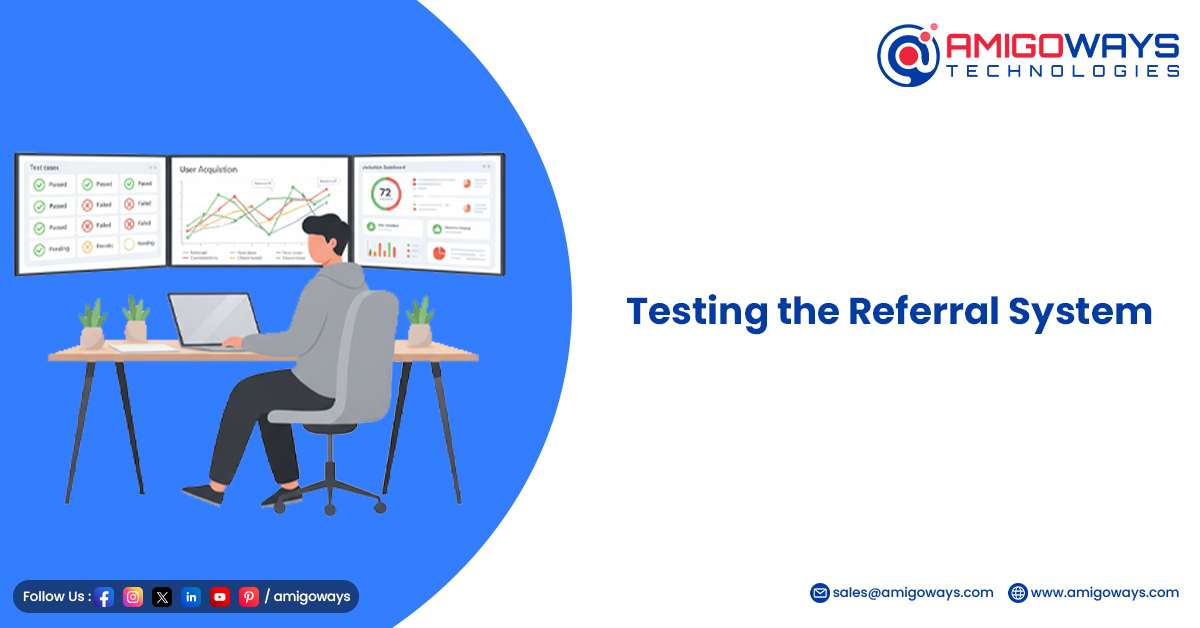
Testing the Referral System
Testing plays a crucial role when implementing a referral program. Because referral systems depend on multiple components such as the Play Store, backend servers, and user flows, thorough testing is required. During development, we tested three primary scenarios.
Scenario 1: Fresh Install via Referral Link
A user clicks a referral link and installs the app from the Play Store. The Install Referrer API successfully retrieves the referral code during the first launch.
Scenario 2: Existing User Manual Entry
A user who already installed the app manually enters a referral code in the app. The backend verifies and applies the referral reward.
Scenario 3: Reinstall After Uninstall
A user uninstalls the app and installs it again. In this case, the Install Referrer may not always return data, which validates why the manual entry option is necessary. Testing these scenarios ensured that the referral system behaves consistently under real-world conditions.
Using OpenAPI Generator with Flutter for Spring and Node.js APIs
While building modern mobile applications, backend communication is another important aspect developers must handle carefully. Maintaining synchronization between backend APIs and Flutter app models can be challenging. This is where OpenAPI Generator becomes extremely useful.
OpenAPI Generator automatically generates Dart API clients and models from an OpenAPI specification file such as:
- openapi.yaml
- openapi.json
The key advantage is that Flutter only requires the OpenAPI specification, not the backend framework itself. This means APIs built using Spring Boot or Node.js can both generate the same specification file.
Spring Boot Example
Spring Boot commonly uses springdoc-openapi to generate OpenAPI specifications.
Example configuration:
@Configuration
public class OpenApiConfig {@Bean
public OpenAPI customOpenAPI() {
return new OpenAPI().info(new Info().title(“My API”).version(“1.0”));
}
}
Swagger UI exposes the API documentation at:
/v3/api-docs
From there, developers can export:
- openapi.json
- openapi.yaml
These files can be used directly by Flutter developers.
Node.js Example – NestJS
NestJS provides built-in Swagger support for OpenAPI generation.
Example configuration:
const config = new DocumentBuilder()
.setTitle(‘My API’)
.setVersion(‘1.0’)
.build();
API documentation becomes available at:
/api-docs
/api-docs-json
NestJS offers one of the most seamless OpenAPI integrations for Node.js applications.
Generating the Flutter API Client
Once the OpenAPI specification is available, developers can generate the Flutter API client using OpenAPI Generator.
Example command:
openapi-generator-cli generate \
-i openapi.yaml \
-g dart \
-o flutter_api
The generated project includes:
- API models
- API service classes
- API client configuration
Flutter developers can simply import the generated library into their project.
Example usage:
import ‘package:flutter_api/api.dart’;
final api = DefaultApi();
final users = await api.getUsers();
This approach ensures that API models and endpoints remain synchronized between the backend and the Flutter application.
conclusion
A reliable Android referral system requires careful design that considers platform limitations.
By combining the Play Store Install Referrer API with a manual referral code entry option, developers can build a flexible system that supports both new and existing users.
Additionally, using tools such as OpenAPI Generator ensures seamless integration between Flutter apps and backend services built with Spring Boot or Node.js.
At Amigoways, our Flutter development team focuses on building scalable mobile applications with advanced features such as referral systems, reward engines, and automated API integrations.
Designing around platform constraints instead of trying to bypass them results in a more reliable and scalable architecture that supports long-term application growth.
How Amigoways Can Help
Amigoways provides end-to-end mobile app development solutions tailored for business growth. Our expertise includes:
- Custom Android app development using Flutter
- Secure and scalable referral system implementation
- Backend development with Spring Boot and Node.js
- API integration using OpenAPI Generator
- Performance optimization and app scalability
Whether you’re building a new app or enhancing an existing one, Amigoways helps you implement robust referral systems that drive user acquisition and engagement effectively.